Audit Trail
Audit Trail provides verifiable evidence of who changed what, when, and how in EntiHub. This feature is available in higher application tiers and can be accessed by a Global Admin by clicking Audit in the left sidebar.
The page displays a filterable table with all activities performed on data across all entities, including record creation, updates, deletions, and duplication. The audit log can be filtered by user, entity, activity type, or time range. You can also open a specific record directly from the log to analyze the changes.
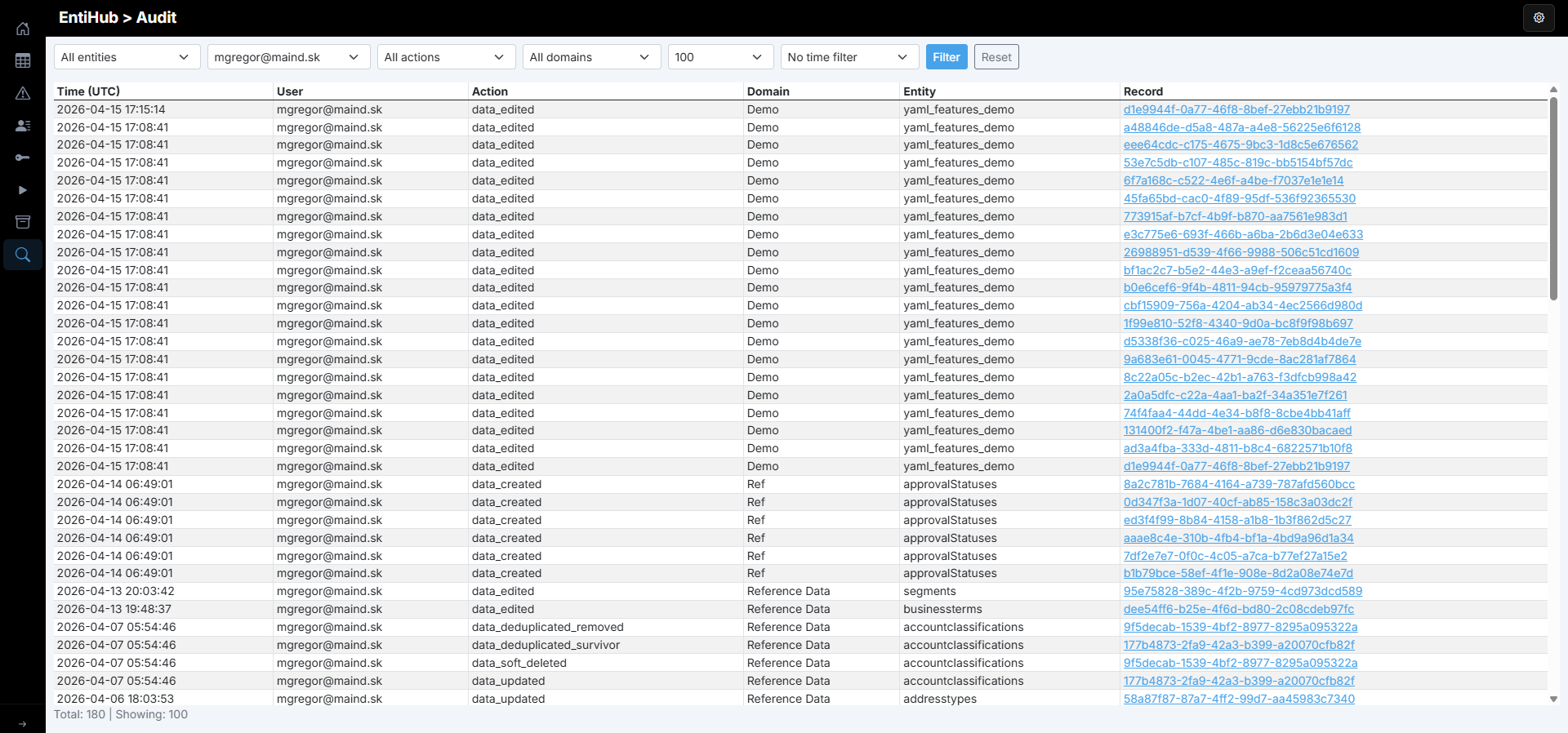
This functionality is also available through an API endpoint, so it can be fully used for monitoring and audit purposes.
Entity Change Log API (for integrations)
For downstream integrations, EntiHub provides an append-only entity change stream:
- Endpoint:
GET /api/changes - Purpose: CDC-style pull of master-data changes (incremental sync)
- Tier: Enterprise only (otherwise returns
404) - Auth:
- Global Admin sees all entities
- Non-admin users see only entities they are allowed to view (
CanView)
Query parameters
fromUtc(optional, ISO-8601 UTC): start of time windowtoUtc(optional, ISO-8601 UTC): end of time windowentity(optional): entity display name filterafterId(optional): returns only rows withid > afterId(forward pagination)take(optional): page size, range1..500, default100
If both fromUtc and toUtc are omitted, EntiHub defaults to the last 24 hours.
Response shape
{
  "entries": [
    {
      "id": 1201,
      "occurredUtc": "2026-04-28T10:12:45Z",
      "entityName": "company_master",
      "recordId": "3f6f5d8e-5e8f-4a41-bdfd-8d9eaad9c6b2",
      "action": "data_updated",
      "user": "steward@contoso.com"
    }
  ],
  "nextAfterId": 1201,
  "hasMore": true,
  "totalCount": 57
}
Typical integration loop
- Store last processed
afterIdin the integration state. - Call
GET /api/changes?afterId={lastId}&take=.... - Process each
entryin order. - Save returned
nextAfterId. - Repeat until
hasMore=false, then poll periodically.
Common action values
data_createddata_updateddata_editeddata_rejecteddata_soft_deleteddata_deleteddata_restored
Example request
curl -G "http://localhost:5077/api/changes" \
  --data-urlencode "fromUtc=2026-04-28T00:00:00Z" \
  --data-urlencode "toUtc=2026-04-28T23:59:59Z" \
  --data-urlencode "entity=company_master" \
  --data-urlencode "afterId=1200" \
  --data-urlencode "take=100"
Note:
Audit(/api/audit) is optimized for admin/compliance querying.Change Log(/api/changes) is optimized for integration synchronization.
During EntiHub installation, you can choose how long audit records should be retained. If you set Mdm__AuditRetentionDays to 0, audit data will not be automatically deleted.
Plan retention carefully, because with frequent changes the backend audit table can grow very quickly. We recommend deleting records older than 2 years and exporting them from the database to files stored on lower-cost storage tiers.