Access Keys
Access keys enable non-interactive integrations and automation workflows. They allow API access without Microsoft Entra user authentication. They are intended for scenarios where no interactive user is involved, such as CI/CD pipelines or AI workflows.
To generate access keys, the user must have the Global Admin role. Then, in the left side panel, click API Keys. This interface is used to manage individual API keys.

To create a new API key, enter its name and description, then click Create. The new API key will be created and ready to use. A secret is generated during creation. Store this secret immediately, because it cannot be displayed again (it can only be regenerated).
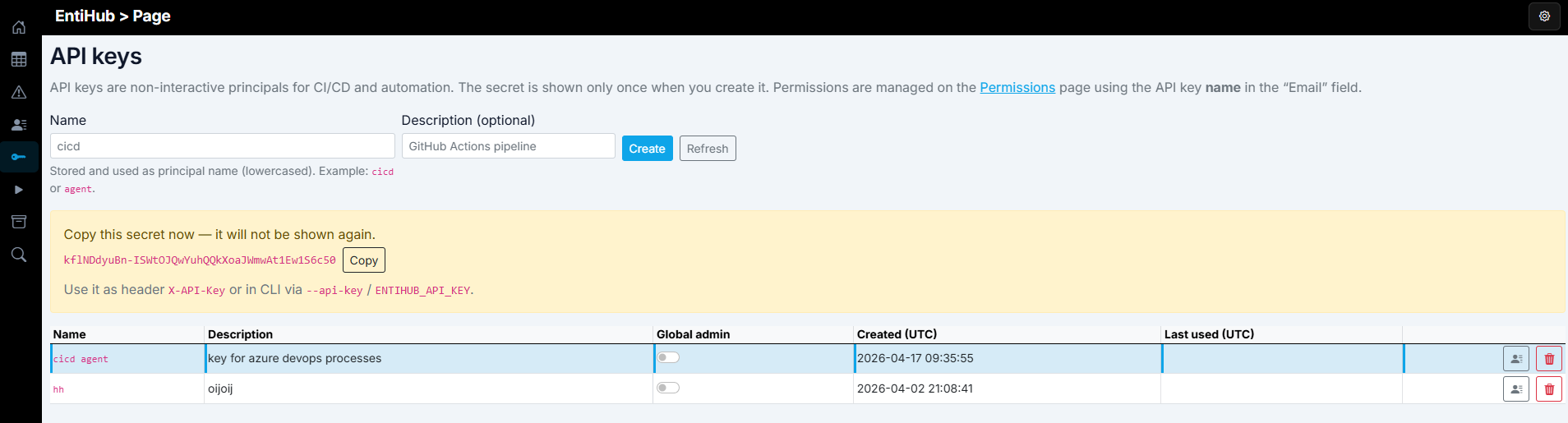
In this interface, you can assign the Global Admin role, which grants full access. Use this role only in exceptional cases. For least-privilege access, define permissions on the Permissions page, the same way as for regular users. Instead of a user, select the API key entry and assign the required permissions for the target domain or entity.
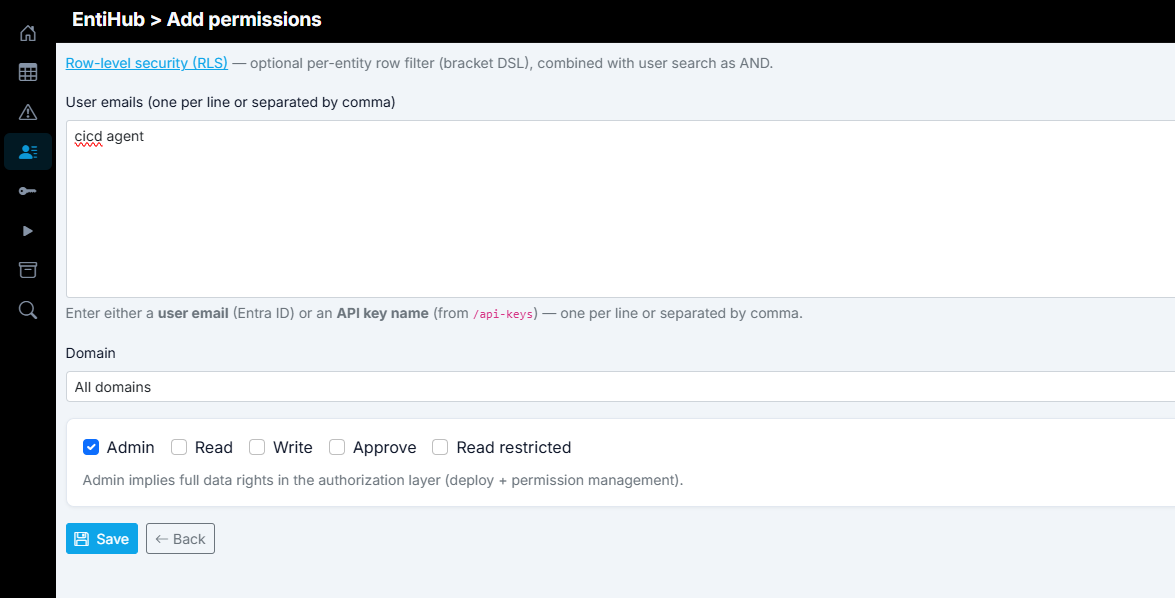
Once permissions are assigned, the API key can be used as needed.
