Deploy Packages
Deploy packages are the recommended way to promote EntiHub configuration across environments.
With this feature, you can prepare entities, permissions, seed data, and webhooks in a test environment, and then import everything together as a single package into a production EntiHub instance.
To use this feature, your application must run on the Enterprise tier.
Open the Packages item in the right-side panel. The page contains two sections side by side:
- Export packages
- Import packages
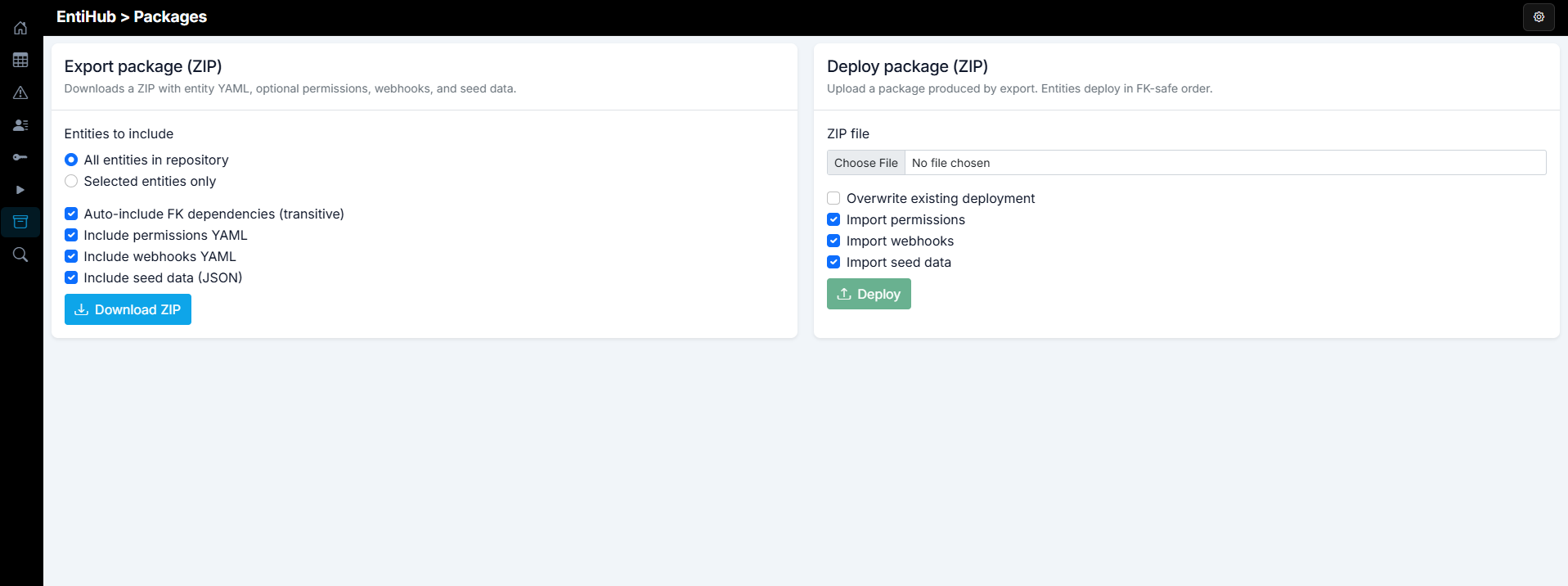
To export prepared entities and related configuration, use the export section.
First, choose whether to export all entities in EntiHub or only selected entities. If you choose selected entities, a list of available entities is shown and you can pick which ones to include.
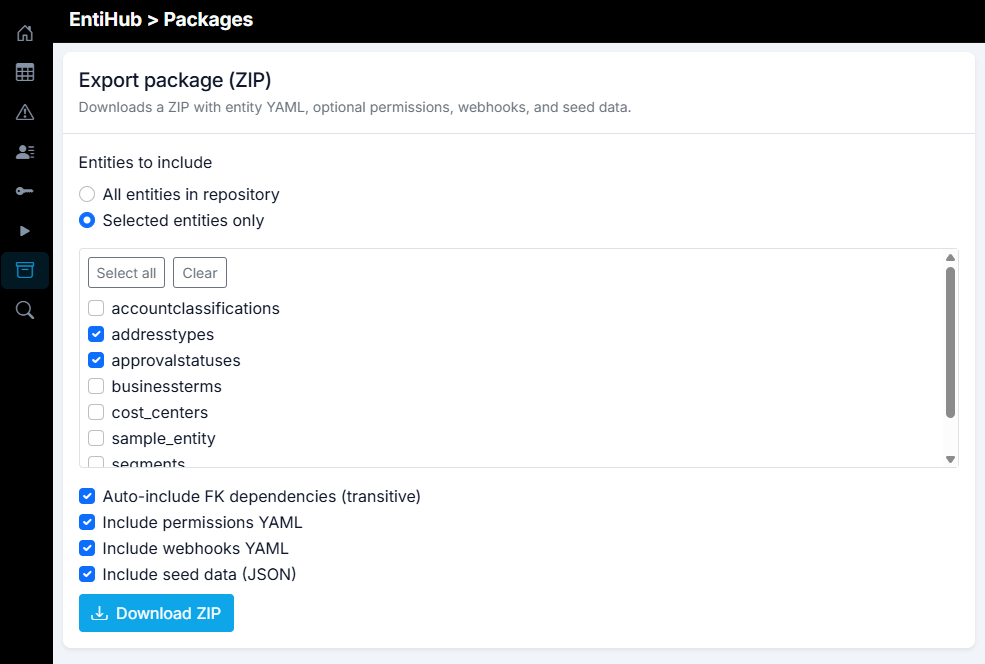
Then configure the export with additional checkboxes:
- Auto-include FK dependencies (transitive) - Includes referenced entities required by foreign keys, even if you did not select them manually.
- Include permissions YAML - Includes permissions in
permissions.yaml.- If only selected entities are exported, only permissions related to those entities are included.
- If all entities are exported, all permissions are included.
- Include webhooks YAML - Includes webhooks in
webhooks.yaml.- If only selected entities are exported, only webhooks related to those entities are included.
- If all entities are exported, all webhooks are included.
- Include seed data (JSON) - Includes seed JSON files for exported entities.
After you set the required options, click Download ZIP. Based on your settings, EntiHub exports the selected configuration and data into a ZIP package. The package name includes the export timestamp. Its content looks similar to the example below.
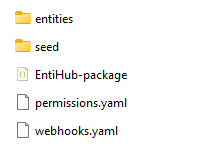
You can use this ZIP file as a backup of your setup (and optionally data), or as an import package for another environment, for example a production EntiHub instance.
For deployment, use the import section on the same Packages page. First, select the exported ZIP file from disk. Then configure import options.
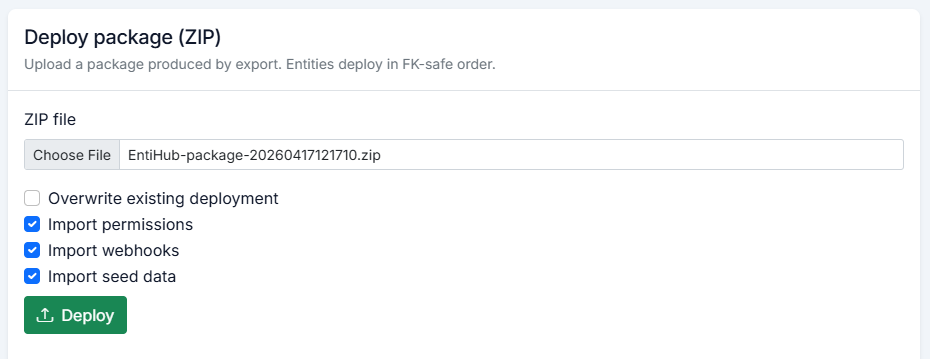
- Overwrite existing deployment - If selected entities already exist, this option controls whether they are overwritten.
- Import permissions - Controls whether permissions from the package are imported.
- Import webhooks - Controls whether webhooks from the package are imported.
- Import seed data - Enables initial data import from the package.
With this workflow, exporting and deploying entities between environments is fast, straightforward, and repeatable.