Install Common Entities
Common entities accelerate onboarding by providing reusable patterns for typical master data domains. These entities are applicable not only across departments within a company, but also across different companies.
In the current version, EntiHub provides 48 common entities that you can install quickly and use immediately. Typical examples of common entities include: - Country, Region, Currency. - Organization units and cost centers. - Shared reference tables used across multiple domains.
Common entities include not only definitions, but also data that you can use right away. A full list and description of installable common entities is provided at the end of this page.
Installation workflow
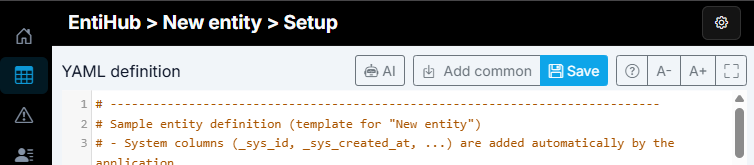
Installing common entities in EntiHub is simple and fast. In the window where you define YAML for a new entity, click the Add common button.
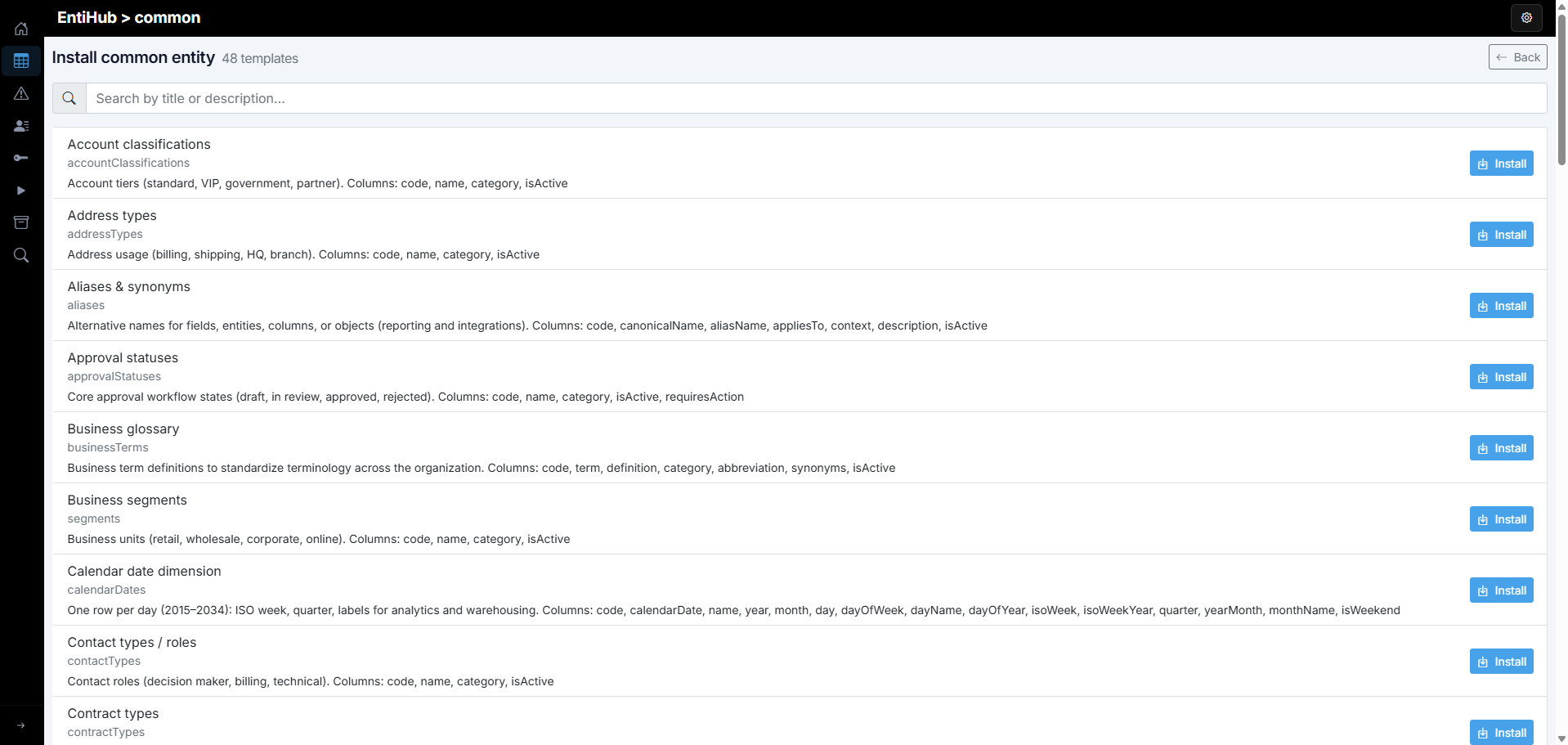
A window appears with a list of all installable common entities. You can use search to find entities by their metadata. Once you select the entity you want to install, click the Install button.
For the selected entity, additional settings are shown that you can adjust before installation: Domain, Entity name, and Entity display name. This allows you to set the domain where the entity will appear and its name/display name. Using the Approval workflow and History enabled checkboxes, you can define whether the data domain will include an approval workflow for editing and adding records, and whether entity changes will be historized. Approval workflow and history settings cannot be changed after installation. You can still add or edit definitions of individual columns after installation.

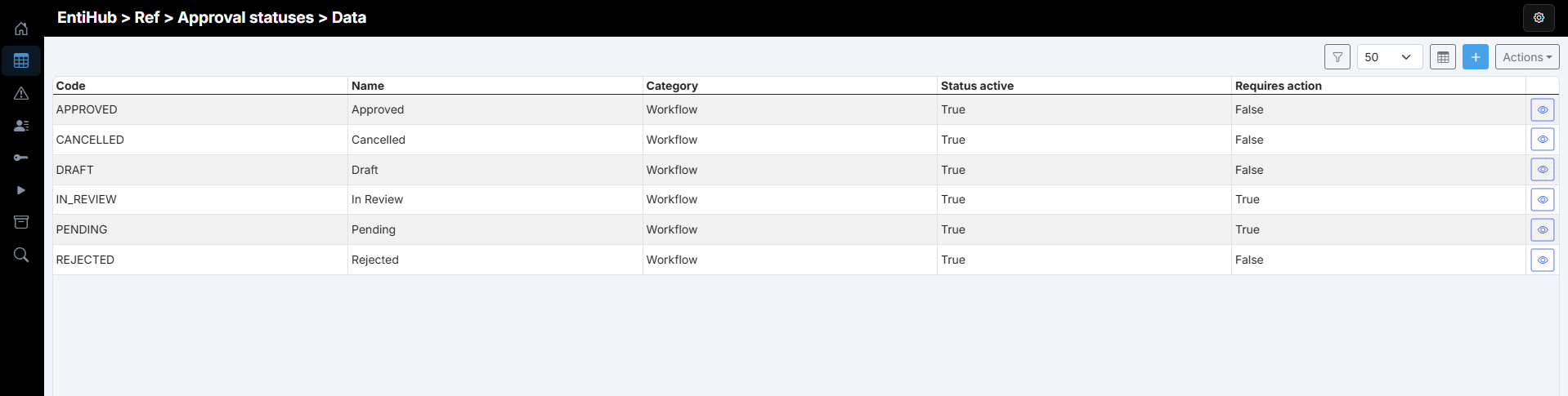
After setup, click the Install now button. The entity is generated and populated with predefined data. After installation, this data is displayed automatically, and you can start working with the entity immediately.
The installed entity also appears immediately in the entity list.
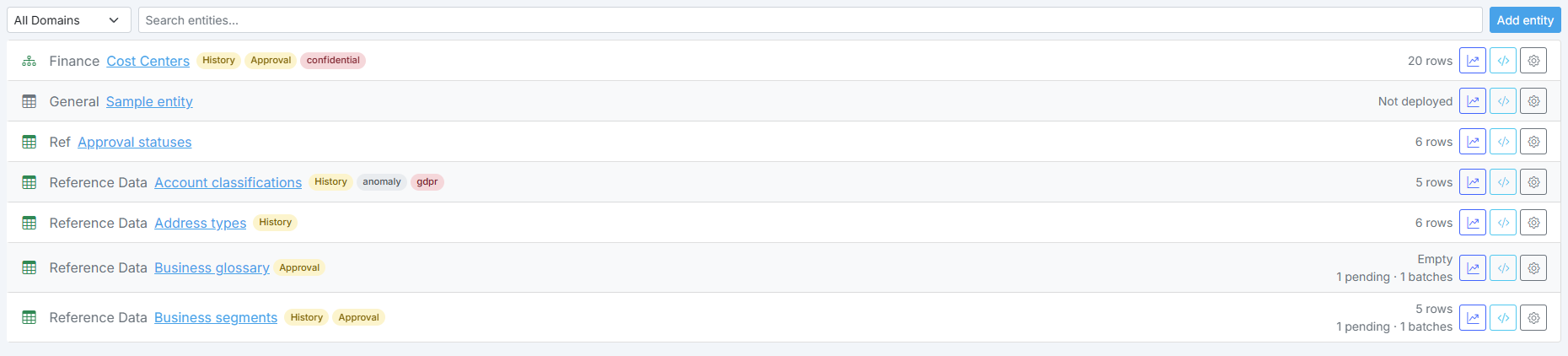
This approach lets you quickly and easily add foundational entities to EntiHub that are reusable across the company, such as country, language, or currency. The complete list is in the following section.
List of Common Entities
The following table contains the complete list of all installable common entities.
| Common entity | Description |
|---|---|
| Account classifications | Account tiers (standard, VIP, government, partner). Columns: code, name, category, isActive |
| Address types | Address usage (billing, shipping, HQ, branch). Columns: code, name, category, isActive |
| Aliases & synonyms | Alternative names for fields, entities, columns, or objects (reporting and integrations). Columns: code, canonicalName, aliasName, appliesTo, context, description, isActive |
| Approval statuses | Core approval workflow states (draft, in review, approved, rejected). Columns: code, name, category, isActive, requiresAction |
| Business glossary | Business term definitions to standardize terminology across the organization. Columns: code, term, definition, category, abbreviation, synonyms, isActive |
| Business segments | Business units (retail, wholesale, corporate, online). Columns: code, name, category, isActive |
| Calendar date dimension | One row per day (2015-2034): ISO week, quarter, labels for analytics and warehousing. Columns: code, calendarDate, name, year, month, day, dayOfWeek, dayName, dayOfYear, isoWeek, isoWeekYear, quarter, yearMonth, monthName, isWeekend |
| Contact types / roles | Contact roles (decision maker, billing, technical). Columns: code, name, category, isActive |
| Contract types | Agreement types (service, purchase, NDA, framework). Columns: code, name, category, isActive |
| Countries | ISO-like country list for reference dropdowns and validation. Columns: code, name, iso3, numericCode, iso3166_2, region, subRegion, intermediateRegion, regionCode, subRegionCode, intermediateRegionCode |
| Credit limit statuses | Credit limit states (approved, suspended, reviewed). Columns: code, name, category, isActive |
| Currencies | Unique ISO 4217 currency codes with name, numeric code, minor units, and withdrawal date when applicable. Columns: currencyName, code, numericCode, minorUnits, withdrawalDate |
| Custom attribute definitions | Extensible field definitions (type, scope, required). Columns: code, name, dataType, appliesTo, description, isRequired, isActive |
| Customer statuses | Core party lifecycle statuses (operational, marketing, risk) with approval rules. Columns: code, name, category, isActive, requiresApproval |
| Customer types | Core customer types (B2B/B2C, public, internal, VIP) with approval rules. Columns: code, name, category, isActive, requiresApproval |
| Data classifications | Sensitivity labels (e.g. PII, confidential, internal, public) for governance and access. Columns: code, name, sortOrder, description, isActive |
| Data quality statuses | Core data quality outcomes (valid, suspect, duplicate) with review rules. Columns: code, name, category, isActive, requiresReview |
| Data tags & attribute groups | Tags, categories, and attribute groups for fields, entities, columns, or objects (classification and governance). Columns: code, name, kind, appliesTo, description, sortOrder, isActive |
| Document categories | Document groupings (financial, legal, operational, compliance). Columns: code, name, category, isActive |
| Document statuses | Core document lifecycle statuses (workflow, archival, compliance). Columns: code, name, category, isActive, requiresApproval |
| Document types | Core enterprise document types (category, workflow, active flag). Columns: code, name, category, workflowRequired, isActive |
| Incoterms | Core Incoterms 2020 rules (E/F/C/D groups, delivery point, descriptions). Columns: code, name, category, deliveryPointRequired, description |
| Invoice statuses | Invoice lifecycle (draft, issued, paid, overdue). Columns: code, name, category, isActive |
| Languages | ISO 639-1 alpha-2 codes with English language names. Columns: code, name |
| Lead sources | Lead and campaign sources (web, events, referrals). Columns: code, name, category, isActive |
| Legal forms | Company legal forms (LLC, joint-stock, sole prop). Columns: code, name, category, isActive |
| Markets / regions | Geographic or commercial markets (EU, APAC, Americas). Columns: code, name, category, isActive |
| Order statuses | Order lifecycle (created, confirmed, shipped, delivered). Columns: code, name, category, isActive |
| Organization types | Core organization unit types (legal entity, operational unit, cost center). Columns: code, name, category, isActive |
| Payment methods | Sample payment methods (bank, card, cash, digital categories). Columns: code, name, category |
| Payment statuses | Payment states (pending, completed, failed, refunded). Columns: code, name, category, isActive |
| Payment terms | Sample payment terms (NET, EOM, fixed date) with day offsets. Columns: code, name, days, termType |
| Priorities / urgency | Priority levels for tickets, incidents, orders. Columns: code, name, category, sortOrder, isActive |
| Product categories | Product families (electronics, apparel, consumables). Columns: code, name, category, isActive |
| Product statuses | Core product lifecycle statuses (operational, lifecycle) with approval rules. Columns: code, name, category, isActive, requiresApproval |
| Product types | Core product kinds (physical, digital, recurring, license, consumable). Columns: code, name, category, isActive, requiresApproval |
| Risk levels | Risk classification (low through critical). Columns: code, name, category, sortOrder, isActive |
| Sales channels | Sales and distribution channels (e-commerce, store, partner). Columns: code, name, category, isActive |
| Shipment statuses | Shipment / logistics states (pending, in transit, delivered). Columns: code, name, category, isActive |
| Source systems | Core source systems for integrations (ERP, CRM, e-commerce, HR, WMS, manual). Columns: code, name, category, isActive, integrationType |
| Supplier statuses | Core supplier lifecycle statuses (operational, risk, compliance) with approval rules. Columns: code, name, category, isActive, requiresApproval |
| Tax codes | Sample VAT/tax rate codes with country, category, validity, and optional rate. Columns: code, name, rate, countryCode, category, validFrom, validTo, isActive |
| Tax regimes | Tax treatment regimes (VAT, reverse charge, exempt, non-EU). Columns: code, name, category, isActive |
| Time of day dimension | One row per second (00:00:00-23:59:59): hour, minute, second, part of day, business-hour flag. Columns: code, name, secondOfDay, hour, minute, second, partOfDay, isBusinessHour |
| Time zones | Windows-style time zone entries with UTC offset, DST flag, and IANA zone list. Columns: windowsTimeZoneId, abbr, utcOffsetHours, isDst, displayText, ianaZonesJson |
| Units of measure | UNECE Rec 20 codes (sector, quantity, common code, symbols, conversion text). Columns: sector, groupNumber, groupId, quantity, levelCategory, status, code, name, conversionFactor, symbol, description |
| [Demo] All features | QA/testing entity that exercises YAML capabilities: approval+history, validations, UI hints, visibleInDetailWhen (all/any/not), similarity, aliases, consumption views. No ref columns. Includes 20 sample rows. |
| [Demo] Cost centers | Hierarchical cost center master data (region/country/function/team): parent_id stores parent _sys_id (GUID). Export includes _sys_id and parent_id as GUID for stable linking. Denormalized hierarchy_level for filtering. 19 sample rows. |