Webhooks
Webhooks notify downstream systems when master data changes are created, updated, rejected, or deleted. This is useful when external systems that consume MDM data need to apply all changes immediately.
Webhooks can be emitted for the following events:
- data_created
- data_updated
- data_soft_deleted
- data_deleted
- data_restored
- data_edited
- data_rejected
A webhook payload example is shown below. EntiHub sends this structure when the webhook is configured as a POST request. If the webhook method is GET, the same values are sent as URL query parameters.
{
   "host": "mdm.company.com",
   "entity": "products",
   "entityDisplayName": "Products",
   "event": "data_updated",
   "recordId": "550e8400-e29b-41d4-a716-446655440000",
   "timestampUtc": "2026-03-20T12:00:00.0000000Z"
}
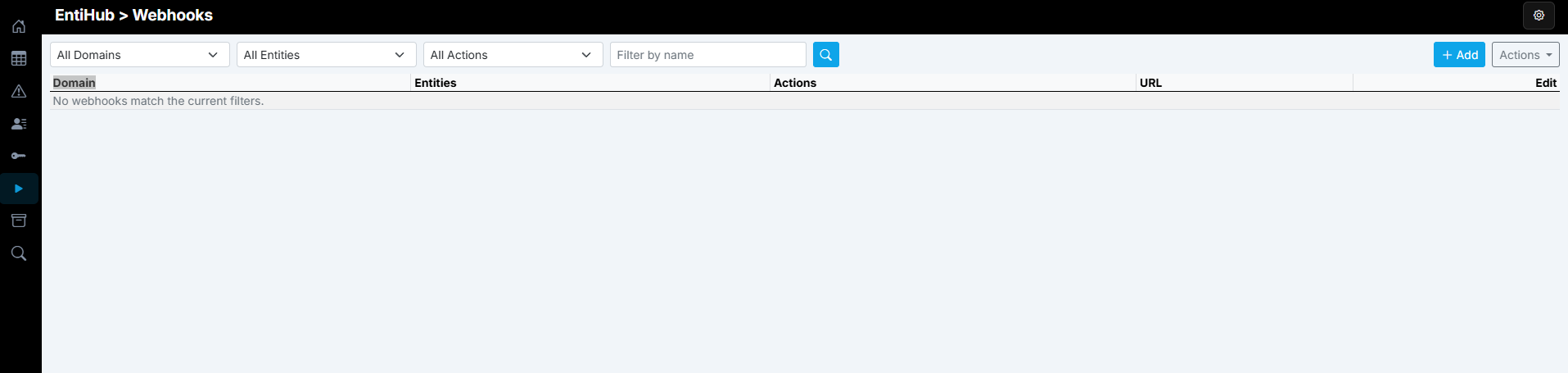
Ak chce global admin nastavit webhooky, klikne si na položku Webhooks v pravom sidepaneli. Zobrzi sa tabulka vytovrenych webhookov. Ak chceme pridat nony webhook, klikneme v pravom hornom rohu na Add button. To configure webhooks, a Global Admin opens the Webhooks page from the left side panel. A table with existing webhooks is displayed. To add a new webhook, click Add in the top-right corner.
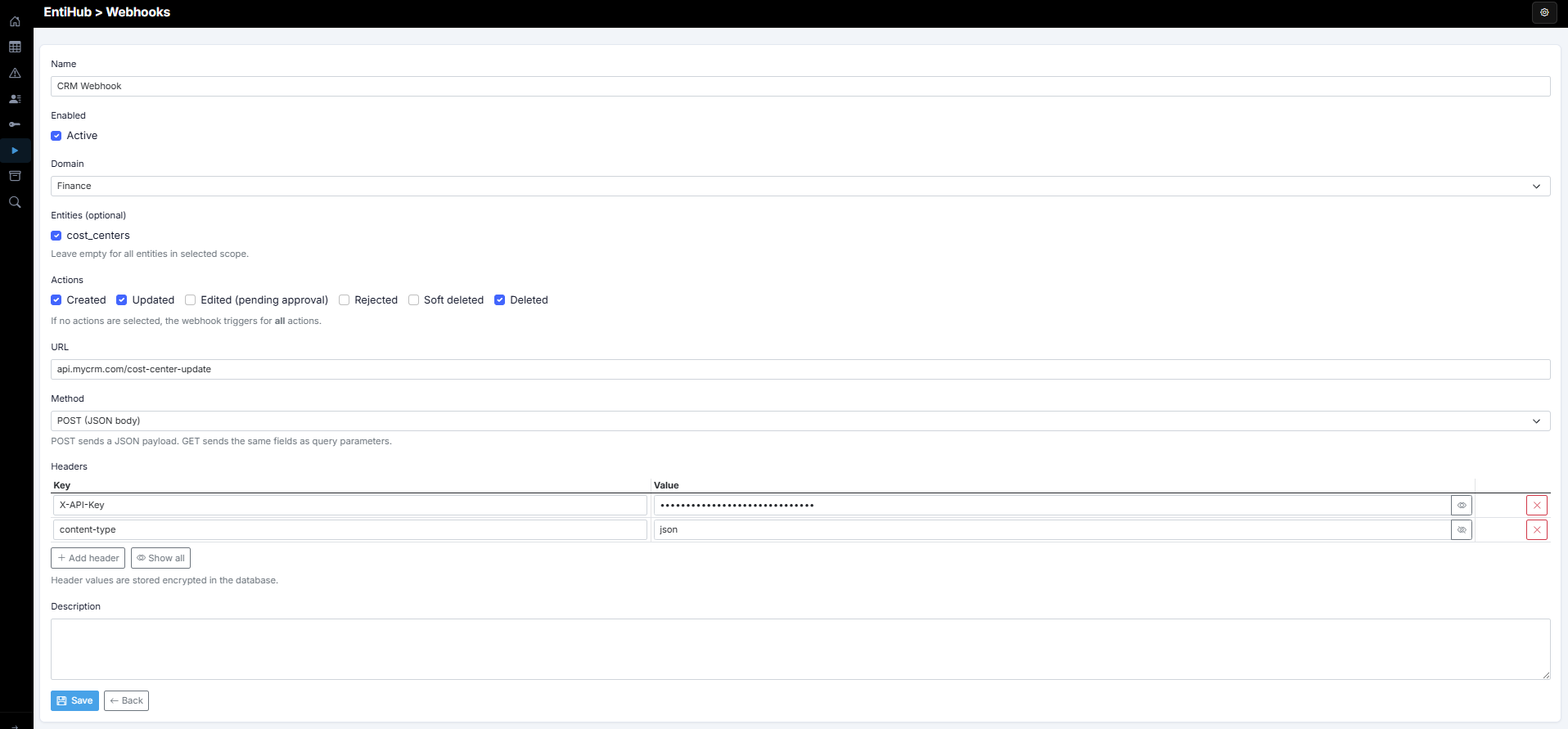
A dialog opens for webhook configuration. First, define the webhook Name so it is easy to identify. Use the Active checkbox to enable or disable it. Then select Domain and Entity. If no domain or entity is selected, the webhook applies to the full entity scope.
Next, select the events you want to track. In most cases, you only need create, edit, and delete events. If no event is selected, requests are generated for all supported events.
Then define the target URL that the webhook should call. In the Method selector, choose whether requests are sent as GET or POST. Based on this setting, data is sent either as JSON body (POST) or URL query parameters (GET).
In the next step, you can add custom request headers if required by the external system.
Finally, you can provide a custom description with additional notes. After clicking Save, the webhook is created.
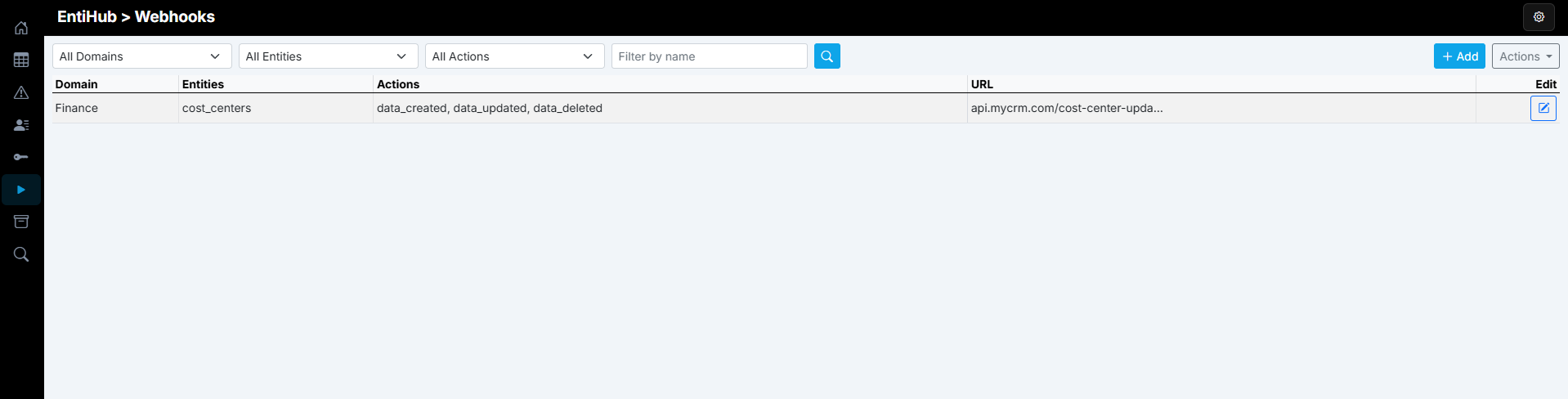
If enabled, requests are automatically sent to external systems according to the configured settings. Disabled webhooks are shown in gray in the table, while active ones are shown in black.
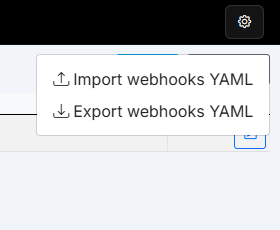
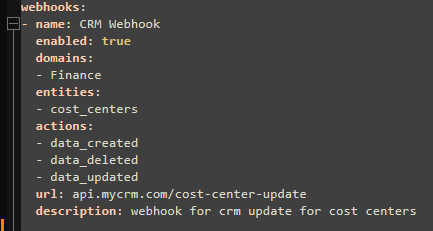
Webhook definitions, like permissions, can be exported or imported using a YAML file. This allows storing configuration in Git and deploying it through standard CI/CD processes.
An example of exported webhook configuration is shown below.
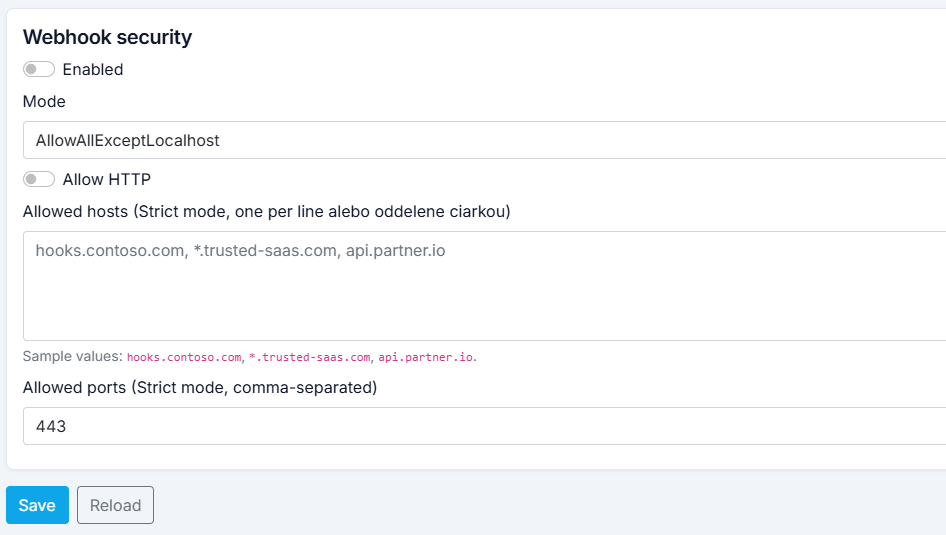
You can also configure default security settings for webhooks. These are managed in System security settings in the settings menu (top-right corner). There you can enable webhook security, choose whether HTTP endpoints are allowed, and define allowed hosts and ports for webhook delivery. This provides a control layer that can block requests to disallowed endpoints.
With these webhooks, connected systems can be notified about entity data changes in near real time. Using the sent recordId, an external system can fetch the full record when needed.