Anomalies
The Anomalies workspace helps you monitor data quality risks detected by configured anomaly rules.
An anomaly is a signal that selected records or trends may need review. Typical examples include drift, duplicates, sudden change velocity, or data completeness changes.
Before you start
- Anomaly detection is available in the Enterprise tier.
- Anomaly rules must be configured in entity YAML under
anomalyDetection. - The scheduler runs based on
runAtcron, or detection can be started manually in entity setup via Run anomaly detection now.
Anomaly analysis
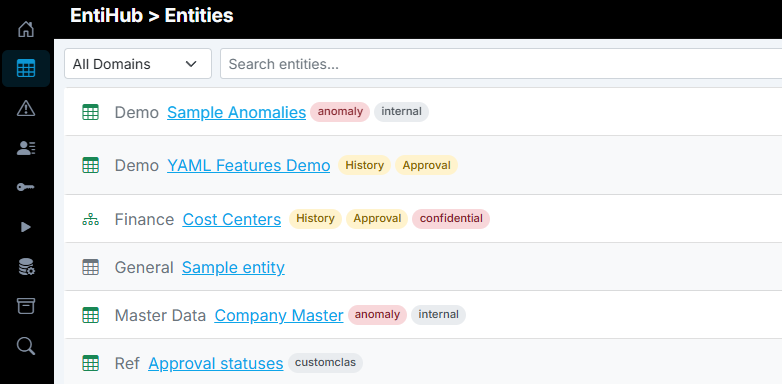
Configuration of individual anomaly detections is described in the Setup Entity guide. Here, we focus on what you can do with detected anomalies afterward. If anomaly detection is enabled for an entity, its output is visible directly in the Entities list. When a new anomaly is detected for an entity and it is not in the resolved or ignored state, an anomaly tag appears next to the entity name.
To view anomalies, open the left navigation panel and click Anomalies. The page shows all anomalies identified by the application that you have permission to access.
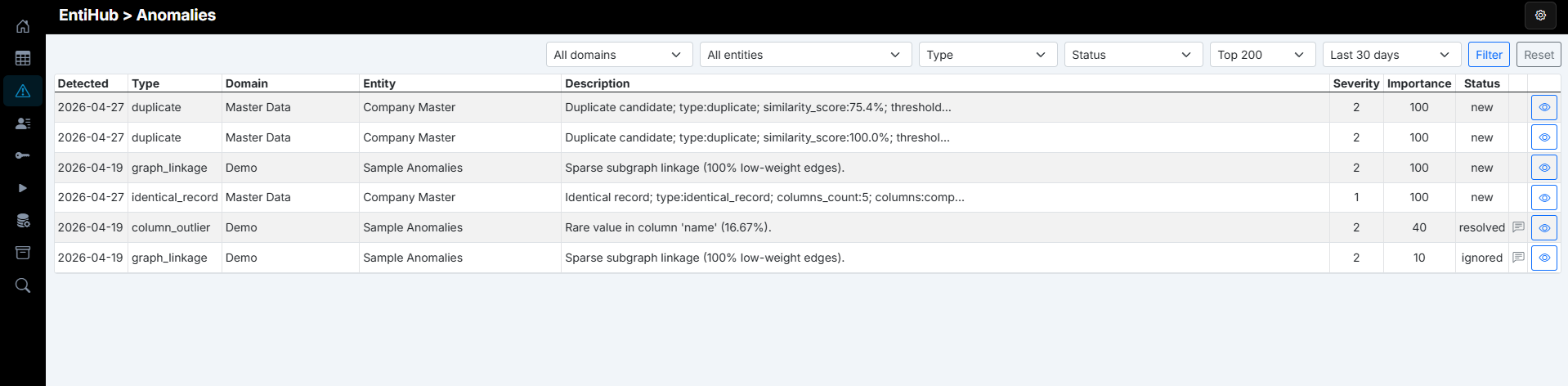
You can filter anomalies using the controls in the top-right area of the page. Available filters include entity, domain, anomaly type, and processing state (new, in_progress, resolved, ignored).

Click the button at the end of each row to open anomaly details, where you can see the affected record ID (when identifiable) and additional context.
The anomaly handling workflow is straightforward. A newly detected anomaly starts in the new state. When someone starts working on it, they should move it to in_progress. Once reviewed, the user can mark it as resolved (issue fixed) or ignored (no action required). You can also add a custom comment describing the resolution or the reason for ignoring it.
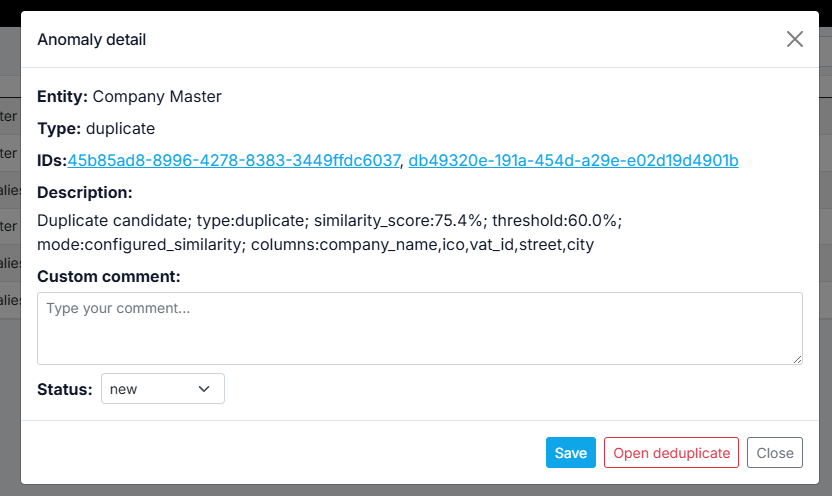
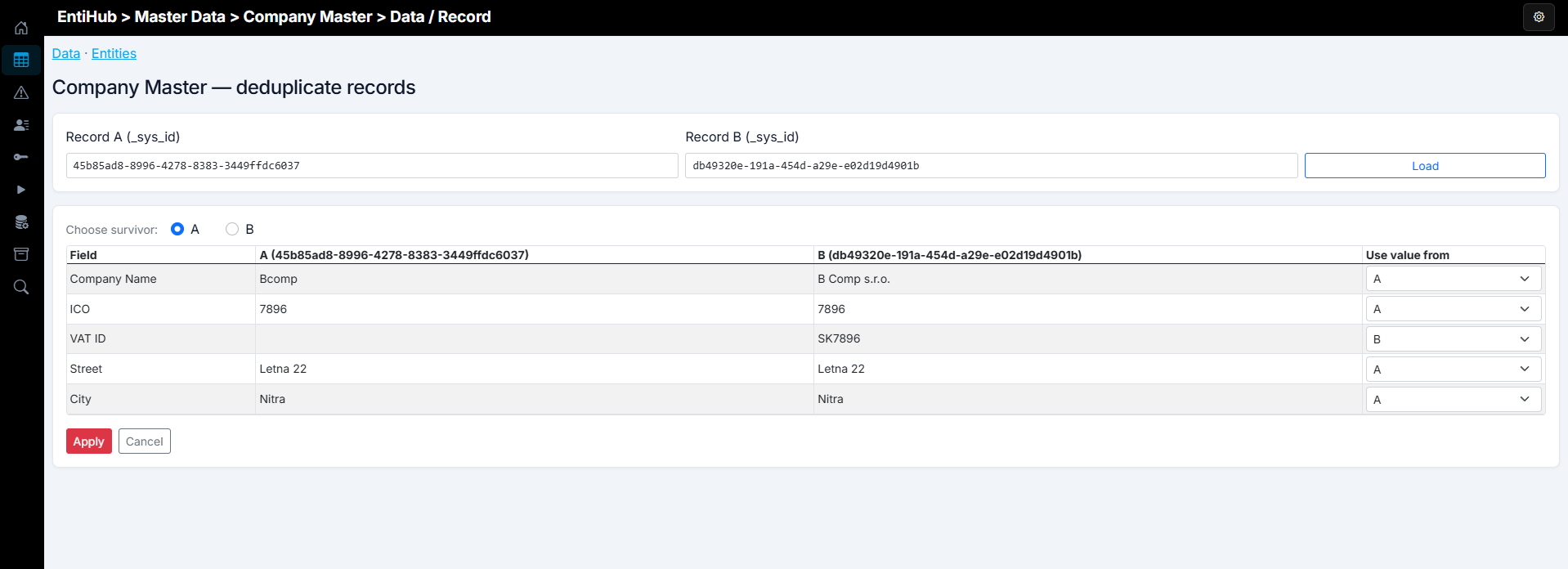
If the anomaly concerns duplicate or similar records in an entity, the dialog includes an Open deduplicate button. This opens the deduplication dialog, where you can resolve the issue directly by removing one record and keeping the other with selected values.
When an anomaly is set to resolved or ignored, the anomaly warning tag is removed from the entity list page.
Operational recommendations
- Start with conservative thresholds, then tune after observing real production behavior.
- Keep anomaly rules close to business ownership of each entity.
- Document expected seasonal patterns to avoid unnecessary alerts.
- Review unresolved anomalies regularly as part of data governance routines.